

part of a series, “Harmonizing Across Multiple Platforms“
You want to ensure that your work as a family historian and your family’s history are well-represented online. To accomplish that you will need to pay attention to the information that appears on all of the websites that might include your family, and one of the largest and oldest databases has been hosting a “one world tree,” the FamilySearch FamilyTree (FSFT), in addition to their various indexing projects.
As you consider the “footprint” you’re going to leave behind, you shouldn’t ignore the way your family is represented on FamilySearch.org. There are a few extra things to consider before you dive in and start “fixing” what you find on this resource.
The Benefits of Longevity
FamilySearch is a nonprofit organization operated by the Church of Jesus Christ of Latter-day Saints and is part of the Church’s Family History Department (FHD). As that Wikipedia article will tell you, “The Family History Department was originally established in 1894, as the Genealogical Society of Utah (GSU); it is the largest genealogy organization in the world.”
So when you visit familysearch.org and create a free account, you’re benefiting from a 130-year-old nonprofit organization’s mission to help people learn more about their family history. While the records they offer for online use may lag behind other services that offer digitized, online, and indexed records, their collection is vast and worth exploring. And while the FSFT is prone to the same kinds of mistakes and shortcuts that plague other platforms hosting user-generated content, this user-generated tree may strike you as more user-friendly than WikiTree.
But there is an added wrinkle to that history.
Who is Behind FamilySearch?
Usually, when you’re deciding on a company to trust with your family’s personal data and artifacts, your decision will revolve around how the company is making their money and whether they will use your work and your family’s photos and documents without your consent. As a nonprofit organization, FamilySearch isn’t likely to try to monetize your research…but there is another motive behind their 130-year project, and it is not easy to talk about objectively.
The reason the Church of Latter-day Saints1 puts so much effort and financial support into this work has to do with their Temple ordinances – which are poorly understood by non-believers. As with most issues that revolve around what a large, diverse group of people believes, I can’t tell you what those beliefs are or how the rituals listed on that Wikipedia page work. You will have to explore that knowledge on your own.
I know that members of my family (both living and dead) were and are horrified by the thought that their names could be used in a Temple ritual, and have expressed discomfort at having their information (and their ancestors’ information) included on FamilySearch for that reason. I have also been reassured by believers that the rituals are only done on behalf of the ancestors of believers. I can’t decide for you whether that is true or not, and if true, whether it is reassuring.
I can tell you that I, as a nonbeliever, have asked my questions of believers, and based on what they have told me, I don’t think that their rituals have any real affect on my ancestors. The dead are dead, and unless someone comes back and tells me otherwise, they are beyond the reach of whatever we can do to them.
So, in keeping with the part of the Serenity Prayer that deals with “things I cannot change,” I ignore as much of the controversy over rituals as I can, and I use FamilySearch as a sort of back-up to my Ancestry and WikiTree work.
I recommend that before you create a FamilySearch account, you should learn as much as you feel is necessary about the rituals and history of the Church of Latter-Day Saints, and decide how you feel about this issue…taking into account how your relatives will feel about it if they learn you are contributing information about them to the FSFT.
Practical Considerations
Once you build your account and connect your profile to an existing ancestor already on the FSFT, you can quickly see “what is already there” in the database. From the “Family Tree” button in the top/left corner, you can find a pulldown menu with the “Tree” link – and once there, select your view. I chose the Fan Chart to get an idea where trouble spots might be:
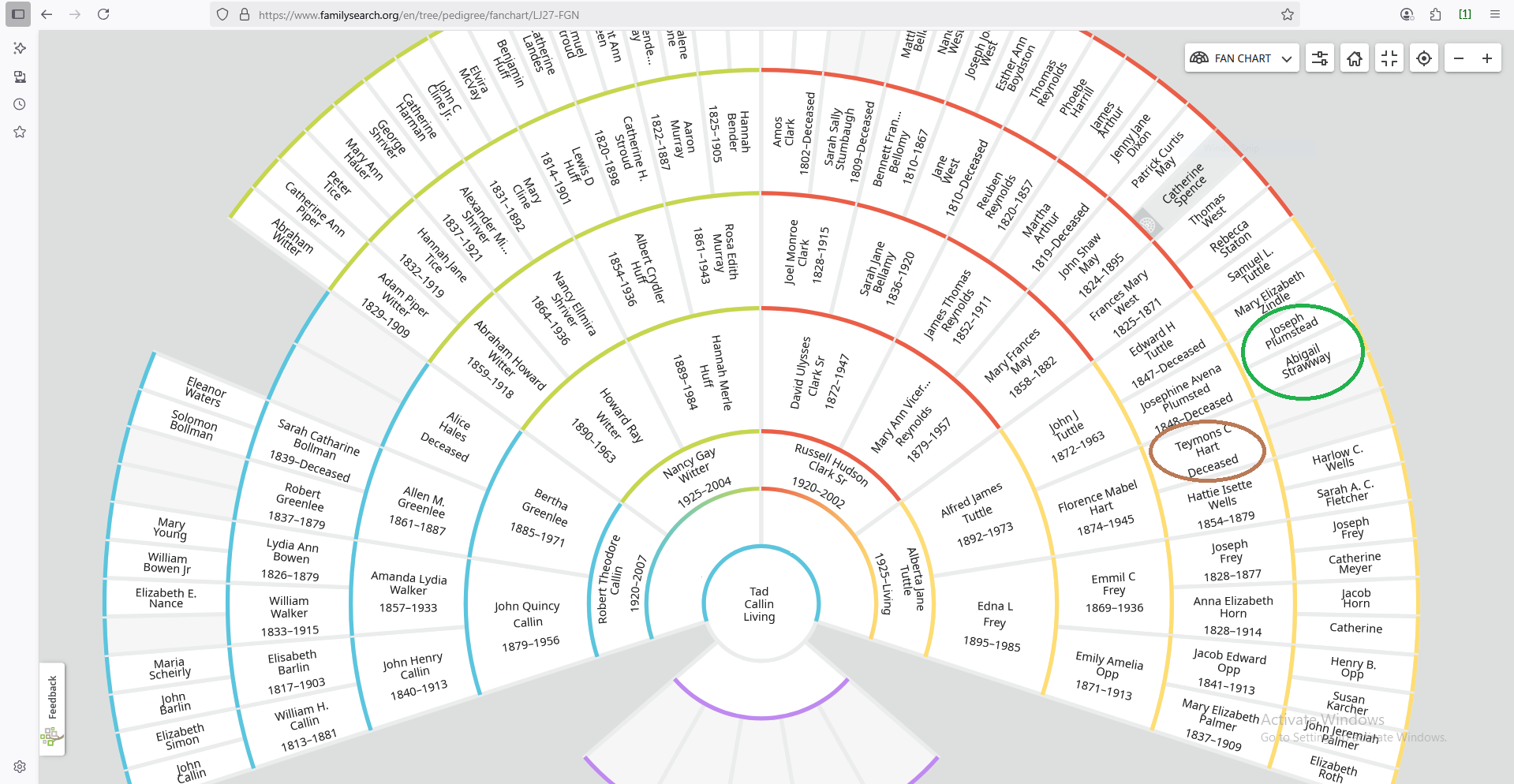
As you can see in the red circle, Seymour (not Teymons) Hart needs work. I’ve done quite a bit of work on the Hart family, which is documented on WikiTree, but I still need to improve what we have here on FSFT. I’ve done a bit of work on the family of Josephine Plumstead (green circle).
Not to give away any spoilers for future posts, but I’ve also done a bit of work on the family of Samuel Tuttle:
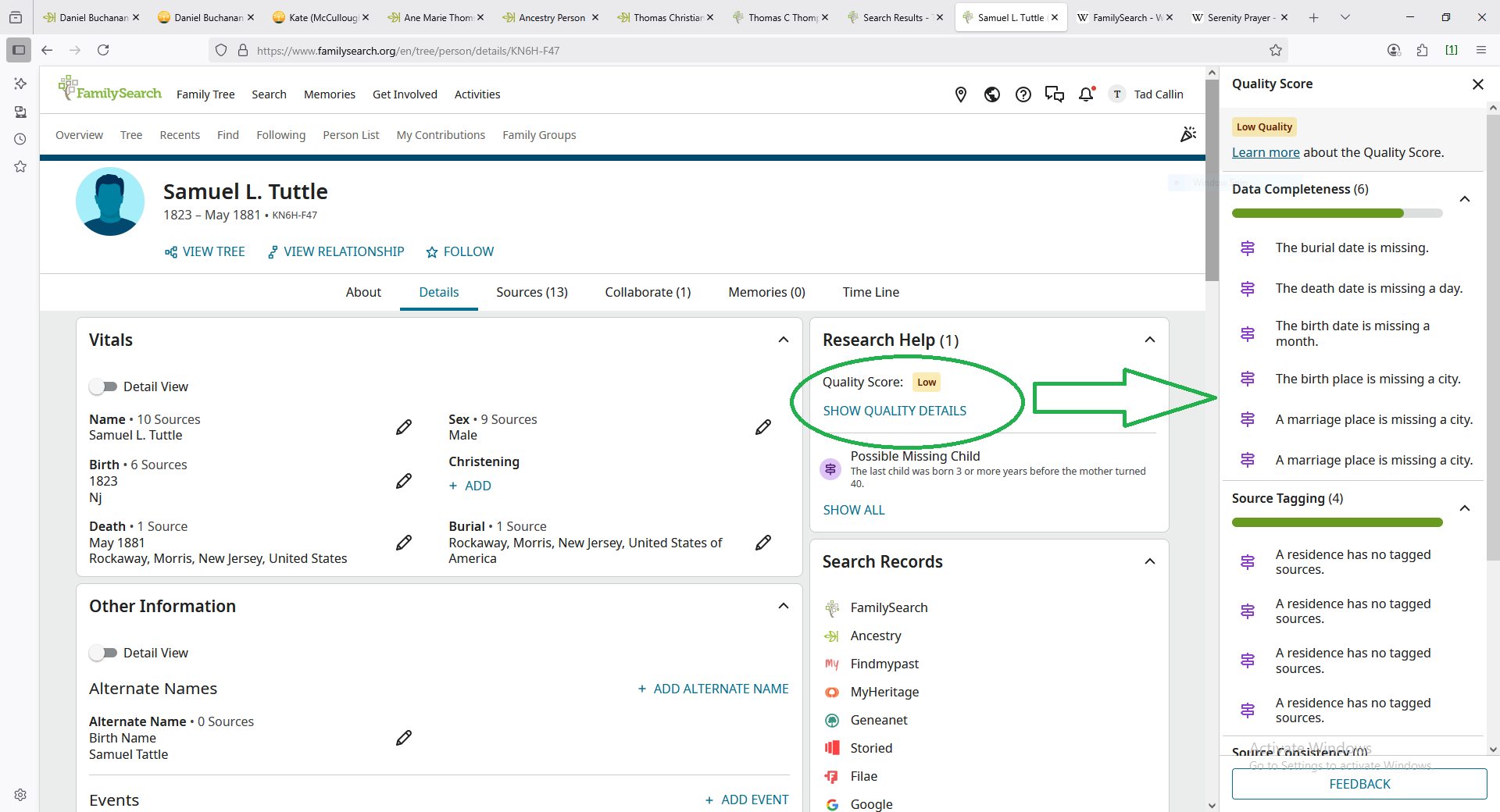
There are a lot of evolving features here, such as the Research helper (green circle) which opens a list of elements (green arrow) that can help you guide your research into Samuel.
For the most part, I like the workflow that is built into the website. Clicking the “FamilySearch” link under “Search Records” takes you to a pre-filled query that you can use to find records. Adding records to your ancestor can get a little “fiddly” – notice I’m not offering a walkthrough here – but once you figure it out, you can build a robust list of Sources for each individual.
You can also manually add outside sources, which you may need to do a lot if you decide to make FamilySearch your primary platform for housing your research. From the Sources tab for an individual, you should be able to see “+ADD SOURCE” at the top of the source list, which will bring up a form asking for basic citation information and a URL for the source you are linking.
If you do invest any amount of time in your FSFT, you will need to get familiar with the processes for editing your tree and doing this like “Merging duplicate profiles” or using “Source Linker.” Fortnately, there is a pretty robust “Help” database at your fingerttips. Look for the “?” icon in the top right corner, a few spots to the left of your name (you can see it in the screenshot for Samuel Tuttle, above) and type what you need help with in the search bar pop-up. Typing “merge duplicates” can lead you to a short video “How Do I Merge Two Duplicate Records?“
Harmonizing Tips
FamilySearch does offer a few ways to integrate itself with other platforms – such as the links to other sites we saw under “Search Records” – but on balance, I find that it is a rather self-contained ecosystem. By that I mean, if you make it your primary platform, you might not need to leave their site to do everything you need to do – and again, it is free.
Their records overlap with other free services, because in most cases, they digitized and databased those records originally and have licensed them to other sites. I find that there are circumstances where there are U.S. marriage records in FS that I can’t find in other places, so even though I pay for Ancestry access, I still sometimes lean on FS for those.
If you are searching for data outside of the U.S., select “Search” –> “Records” and look for the “Search by Place” search box to go to the databases for the country you’re interested in.
If, like me, you do your research on one main site but document your work on another (like WikiTree, which we will talk about in more detail at a later date), there are several easy options for generating citations from FamilySearch that you can paste into your other site.
Next Up…
I plan to give you a “philosophy of WikiTree” – less of a how-to, and more of a “why-to”… but if you’d rather learn about another platform, let me know! I’m happy to flex a little bit.
Even better, if you have a favorite platform, write and tell me about it – guest posts are always welcome!
- I am trying to respect the recent “rebranding” of the Church – see this 2018 CNN article “Mormons don’t want you calling them Mormons anymore” – however, it is confusing to people who are not familiar with the church or its history if I refer to them by their chosen names without mentioning the “Mormon” or “LDS” names. I am not a believer, so I hope this gesture of respect will be taken into account by believers when they inevitably accuse me of treating their faith disrespectfully. ↩︎


Say hello, cousin!