
An argument for collaborative genealogy
I’ve been working with collaborative platforms of one kind or another since about 2006. (See The Backstory here!) For several years, between 2008 and 2012, I taught courses on using collaborative media to federal employees. So I have observed for myself how people use or abuse the tools available to them, and have seen these tools succeed (Wikipedia is a great example of success) and fail (too many to mention).
Collaborative tools have been a part of genealogy for a long, long time. Sites like FamilySearch, Find-A-Grave, and WikiTree are the best known and the most open, but a lot of people shy away from exploring them because of what they see as too much openness. (In other words, other people can threaten to undo your hard work.)
I’d like to take a deeper look at each of those sites and how to get the most out of them. That discussion will have more to do with how they work, but before we get to that, we need to talk about “expectations” and define the difference between flaws in a collaborative tool and flaws in the users of any given collaborative tool.
In other words, I need to make sure we’re not blaming the technology for our own personal quirks.
The Flaw in Collaboration
Any tool or platform that allows users to edit content or participate in an online activity is going to suffer from the same basic, unavoidable flaw: the Users.
You may already have a collection of horror stories about dealing with “wrong information” about your ancestors and contributors/other users/site managers who refused to correct it or take it down. That is a problem that we’ll talk about when we get to the specific platforms, but you must always remember that you, too, are one of those Users, and thus you are an important part of the problem you are trying to solve. Before you jump into a new online community, make sure your goals and expectations are realistic, and make sure your choices and actions are designed to achieve those goals.
No matter what your skill level is, or which tool you decide to invest your time into, you must be mindful of how you behave and you must constantly remind yourself that you are interacting with Strangers On the Internet. This is always going to be a part of using collaborative tools.
Basic Rules of Netiquette
Before you dive in and try to “fix” Find A Grave or make sense of the FamilySearch tree, be sure that you are thinking things through before you start communicating with other users.
- Assume Noble Intent – there are a lot of people (and bots) out there on the internet who intend to cause problems. But when you first encounter somebody using a family history platform, you should approach them the way you would approach another person in (for example) a public library. If you’re going to ask them for help or offer a suggestion, make sure you sound friendly, interested, and approachable. Remember that they might not know these rules, and they might not “assume noble intent” about you, at first. So be professional and try to make a good first impression.
- Stick to Facts and Evidence – if you found something incorrect in an ancestor’s profile, you might feel angry or annoyed that the mistake is there, especially if it is a mistake you have seen duplicated in more than one place. But if you have to ask someone for access or permission to fix the error, you must NOT begin your interaction with a stranger by talking about your negative feelings; that is almost never going to get you the reaction you want. Instead, open by explaining your connection to the ancestor and (most important) that you have evidence to help improve the profile.
- Always Think About De-Escalation – once you make contact with someone and start interacting, you can’t let your guard down. Practice de-escalation techniques throughout your conversation. (There are many good resources for learning how to de-escalate conflict – maybe read “6 Ways to De-Escalate a Heated Argument” before you approach someone online.)
- Be Open to Being Wrong – you already know that genealogy is difficult and challenging; even if you think your facts are solid before beginning your conversation, there may be a very reasonable explanation for the “error” you are trying to correct. Try not to think of this as “losing” the argument.
Baked into all of this advice on personal interaction is the assumption that your research is based in evidence and that you are using Critical Thinking effectively. (If you aren’t familiar with the term “Critical Thinking,” or if you want to test whether I know what I’m talking about, go read that earlier essay.) I don’t say that because I think I’m a master of critical thinking techniques; quite the opposite. I have been working on myself and trying to center those skills for a couple of decades. My goal is that someday I will use Critical Thinking effectively!
But I do think it’s important that you take a hard look at how you work and think, and examine your assumptions as often as you can. Keeping your head on straight is the first step to meeting your own goals.
What is “Harmonizing Across Multiple Platforms”?
If you spend any time in a discussion about all of the different genealogy tools and platforms available online, you will run across someone expressing a wish that there was a “one stop shop” that “did everything well.” That someone might be you, or you might just find yourself agreeing with the sentiment. But reality is often very different from what we imagine we want.
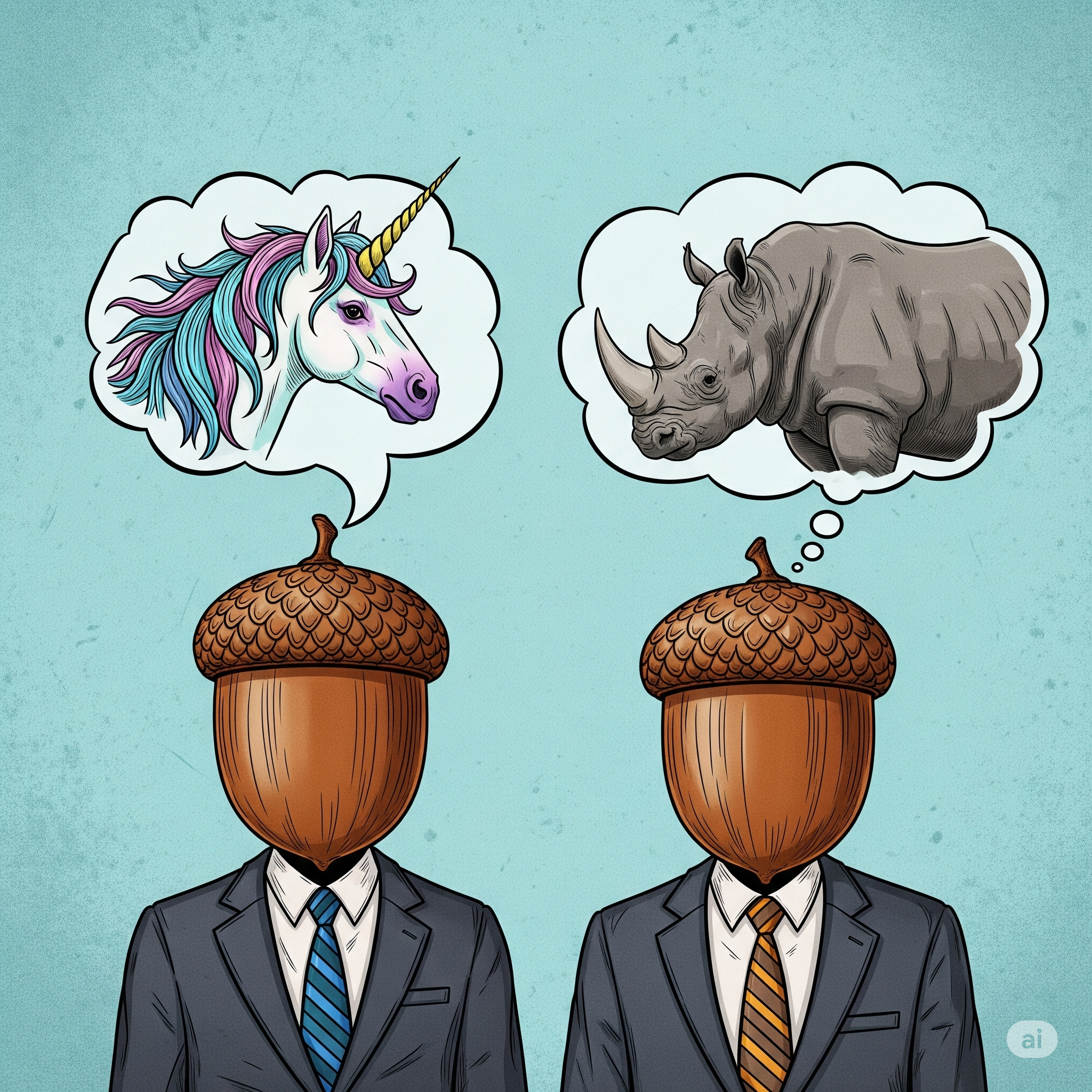
The point I’m trying to make is that the Internet itself is The Rhinoceros: it’s big, ugly, and can sometimes be dangerous. But that is also our “one-stop shop” for everything we want to do. That’s where we can find a growing number of databases for finding records, software for tracking research and publishing our work. It’s where we can find distant cousins or researchers with common interests. If you do in-person research, you probably organize your travel plans and set appointments through the Internet before you go. And of course, the Internet is where we can find the variety of collaborative tools that let us tie all of that together.
The Unicorn is the shiny fantasy we all of have finding a single website or walled garden that will let us safely do the things we want to do without paying a lot of money or dealing with obnoxious people. That creature does not exist. It never has, and it never will.1 And I’m sorry about that.
But I’m not here to discourage you. Rather than try to find a unicorn, I’d rather help you ride the Rhinoceros. And that will mean taking our time to look at several tools and platforms to see how they work, how they can work together, and help you decide whether and how you should use them to reach your goals as a genealogist and family historian.
My own approach is to spend most of my time and money working on Ancestry2. From there, I take what I learn and build profiles on WikiTree; I also have free accounts on several other sites and I try to take the time to make sure that what I see on Ancestry and what I put on WikiTree is harmonized with what can be found on FindAGrave, FamilySearch, and (to a lesser extent) on MyHeritage.
In the coming weeks, I plan to talk about each of these sites in a “HAMP” series, and along the way, talk about strategies for making sure that the best, most accurate information I have is available on all of these sites. I don’t know everything, and I don’t pretend to be the expert at any one tool, so if you have suggestions, want to suggest a tool for me to explore, or have a write-up you’d like to share with the rest of the class, you can tell me using The Contact Form!
Let’s get ready to explore!
- I feel your pain. I even wrote a fantasy story about a real unicorn: “Silver” from the Dunesteef podcast. ↩︎
- Nobody sponsors me, but if that ever changes, I will be transparent about it! ↩︎


Say hello, cousin!